Fun With Filters
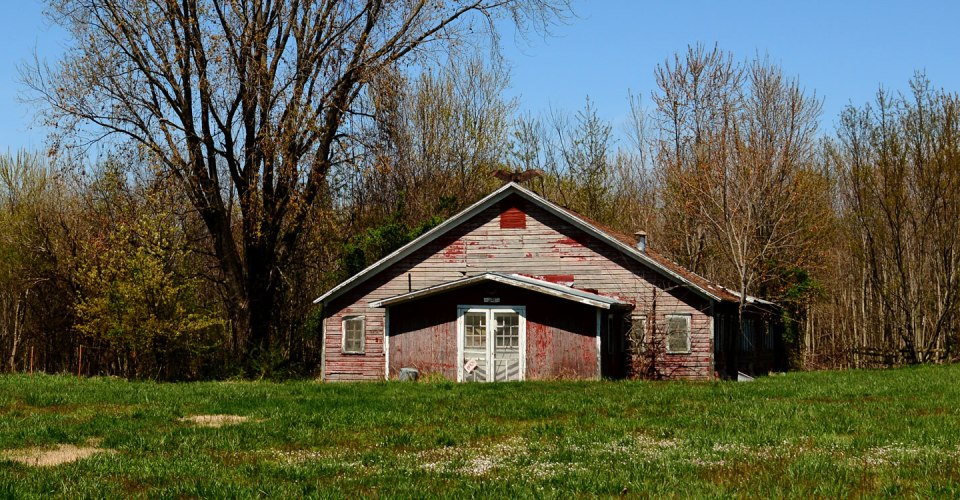
I was out and about the other day when I spotted a building that I have driven past hundreds of times in the past thirty years. At one time it was an antique store. Now, the property next door has been sold and the land cleared, so it’s only a matter of time before this structure falls to progress as well. Don’t get me wrong, this building is beyond repair. I pulled my truck onto the site, grabbed my camera and captured a few images.

If you look closely at this original image you can see a bird lighting on the peak of the room. It is a Turkey Vulture, which I suppose is only an appropriate sign of things to come. Once I got home and downloaded my images, I decided to have a little fun with filters.

First I took the color image into PhotoShop Elements, added a little polarizing, then added a “crumpled paper” filter that gives it a bit of a worn look.

Next I went back to the original image and created a bit of a water color effect. You can adjust how abstract or detailed the image gets filtered. For a color image, I think this one enhances the character of the forlorn structure.

Next I converted the image to black & white, then added a little texture to it for a little drama. I really think old buildings are much more charming when presented in black & white.

I used a “smooth landscape” filter for this edit, then put a unique frame around it.

This edit has a vivid urban filter applied then a white vignette added to all four corners. It gives the image a whole different character than some of the darker filters.

Finally, the filter that creates the spots is called cool concrete. I don’t know why either. The edges are a filter called tattered paper. I like how this one really gives a barn find look to the image. I could do this for hours. Stay tuned, for more fun with filters next week.

























 Driller's Place