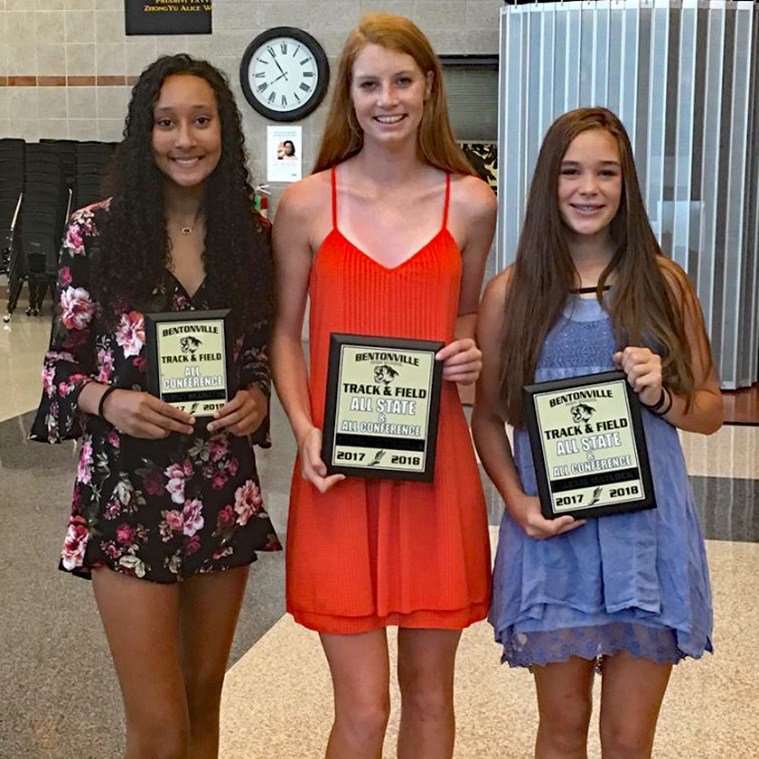
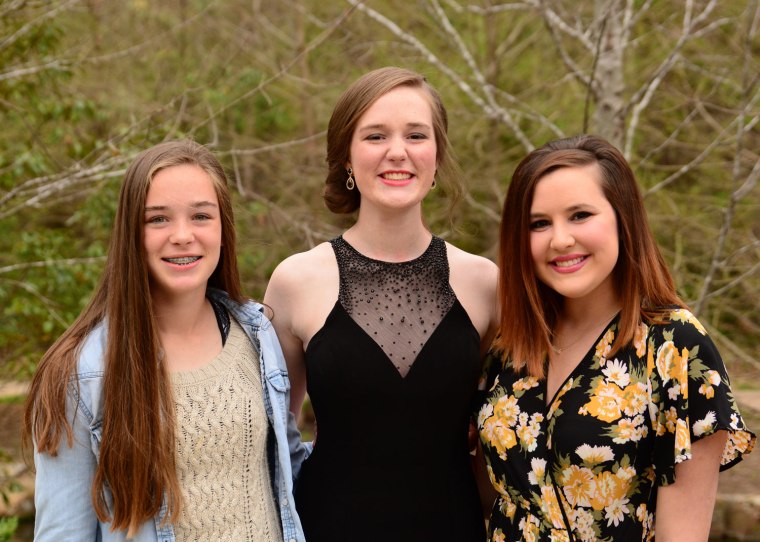
I know, the header to my blog says that my posts include images and stories from my little corner of the world, but this year the focus has been on the grand kids. That’s just the way it is. Last Wednesday evening the high school track team had their year-end banquet. The boys and girls won the state team outdoor championship and were the runner-up at the indoor championships. The young ladies pictured here make up the varsity girls high jump team that finished first, second and third in the conference meet and then placed second and third in the state championships. The young lady on the right is our youngest grand daughter. She won the conference championship and placed second in the state finals. That earned her “All Conference” and “All State” honors as a sophomore. We’re already looking forward to next season.
This is what she looks like at work. As you can see, she cleans up pretty good when you fix her hair and put a dress on her. Have a blessed week.
Recently on FaceBook, one of my friends posted a meme that requested participants post their top ten favorite artists and albums of all time. We were to post one per day. It seemed like an easy enough task so I jumped in. I will not post all ten artists and albums here, nor will I bore you with all of those that I left out but deserve a place in any top ten list. Also, these are not listed in any particular order because it is just not fair to place some of these artists above others. So, let’s get started.
No. 10: The first artist and album I posted was Ray Charles, “What’d I Say”. I was in junior high school and this was the first album that I ever bought.
No. 9:The Beach Boys – Little Duce Coupe. As a child of the ’60’s, I grew up in the golden age of muscle cars & hot rods. The Beach Boys did as much to define the image of our day as any band ever. They undoubtedly wrote and recorded more songs about fast cars than anybody. Wheat jeans and shoes with no socks ruled the day. Long live the “Little Duce Couple”.
No. 8: The Rolling Stones – Big Hits (High Tide & Green Grass). I liked The Beatles, but I was really a “Stones” fan. “Satisfaction” and “Honky Tonk Women” were just the best Stones music ever.
No. 7: James Taylor – Sweet Baby James. During the folk rock era of my music tastes, nobody did it better than James Taylor. His music may have been the first time I really listened to and absorbed the lyrics of songs. “Fire & Rain” was an instant classic and one of my favorite songs to this day. We’ve all lost loved ones who made our days brighter and our lives better just by being in our life. When we look back on our lives, we’ve all had days of Fire and days of Rain. No one has written a better lyric that this from Sweet Baby James.
No 6: Led Zepplin – Led Zepplin II. The late 60’s & early 70’s were my personal “Golden Age” of music. While I loved the folk rock of James Taylor, Carly Simon, Carole King and others I also had an appreciation of the hard rock of our day and Led Zepplin’s “Whole Lotta Love” was at the top of the list.
No. 5: Elton John – Tumbleweed Connection. Sir Elton John is quite possibly my all time favorite artist. At one time I may have owned as many as eight Elton John albums including the scarce “Friends” soundtrack that he scored. I saw him twice in concert in Tulsa prior to the release of the “Goodbye Yellow Brick Road” album. Tumbleweed Connection was probably not one of Elton’s biggest selling albums, but I loved every song on it. “Love Song” and “Country Comfort” were the hit singles from this release but “Where to Now St. Peter” & “Burn Down the Mission” were among my favorites.
No. 4: Creedence Clearwater Revival – Willie & The Poor Boys. Right behind my collection of Elton John albums, ranks CCR. I loved everything they recorded and I especially liked the light hearted Willie & the Poor Boys. Even after they split up, I bought John Fogerty music.
No. 3: Eric Clapton – Riding With the King. One of the all time best rock/blues guitar players. From his days with Cream and Derek & the Dominos, Eric Clapton has always been a force in the music world. Today as a soloist he is as good as ever. “Layla” was his biggest hit as a part of Derrik & the Domonos, but his duet album with BB King, “Riding With the King” is a classic.
No 2: Garth Brooks – Ropin the Wind. Garth did as much to change country music as the Beatles did to change rock and roll. He brought big sound, big shows, and an energy that had never been seen in this genre. His songs brought back the classic themes in country music but added the intensity of a rock concert. He proved that good guys can wear black hats, and not all country stars need to wear rhinestone shirts or jackets. One of my favorite albums was “Ropin The Wind” and my favorite song off of the album was “Rodeo”.
No. 1: Linda Ronstadt – Heart Like a Wheel. I believe to be the best female pop, rock, country vocalist of all time, Linda Ronstadt. I believe that Trisha Yearwood is just as good but never truly crossed over into the pop/rock genre. There are other great female vocalists that are in my playlist, Grace Slick (Jefferson Airplane), Janis Joplin, Martina McBride, Heart (Nancy & Ann Willson) and The Supremes (with Diana Ross), but I loved Ronstadt. She was the female version of The Eagles. Her album Heart Like a Wheel contained the mega hit, “When Will I Be Loved” written by Phil Everly of the the Everly Brothers. I am sure that there are days when all of us ask the question, “When Will I Be Loved?”
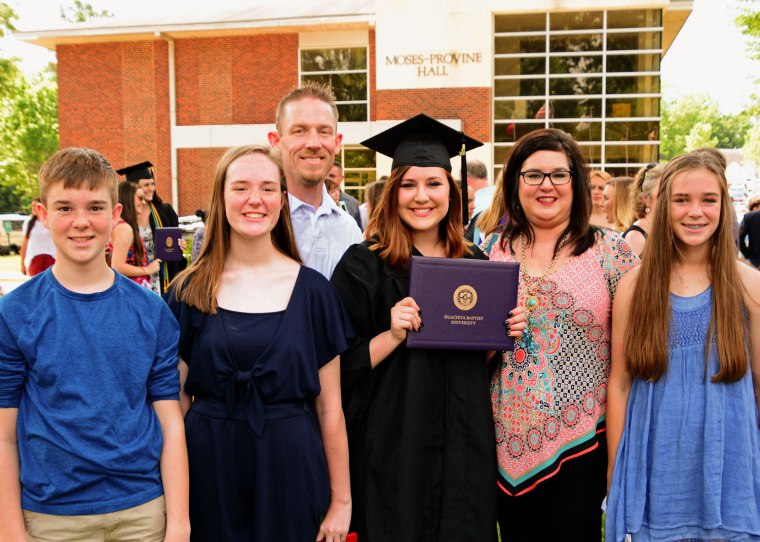
One week ago we attended our oldest grand daughter’s graduation from college. This past week-end her younger sister graduated from high-school along with 639 classmates.
That white sash means that she graduated with “honors” and those gold chords indicate that she was a National Merit Scholar finalist. Needless to say I had neither as a part of my cap & gown wardrobe.
She found us among the crowd and gave a little smile and wave prior to the start of the ceremony. With 640 graduates the commencement exercises take place at Bud Walton Arena on the campus of the University of Arkansas, about 20 miles south of Bentonville. Fortunately Bentonville always gets the first slot of the day, at 8:30 a.m. There are two or three other high schools that will graduate during the day and the traffic can get hectic, to say the very least.
After the ceremony, we met outside for a few photos. She is glad that high school is finished and she is more than ready to begin her college adventure. She will be attending the University of Central Arkansas and majoring in sports medicine.
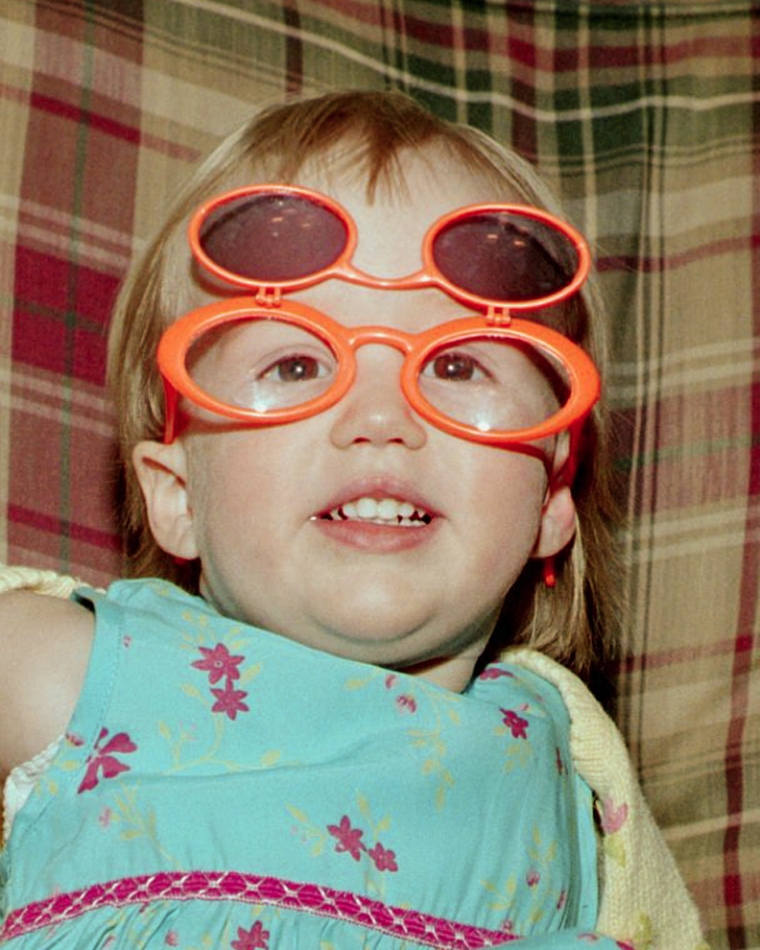
Time for one photo of her family, including big sister and last week’s college graduate on the far right. Sooo…. how far has she come in eighteen years?
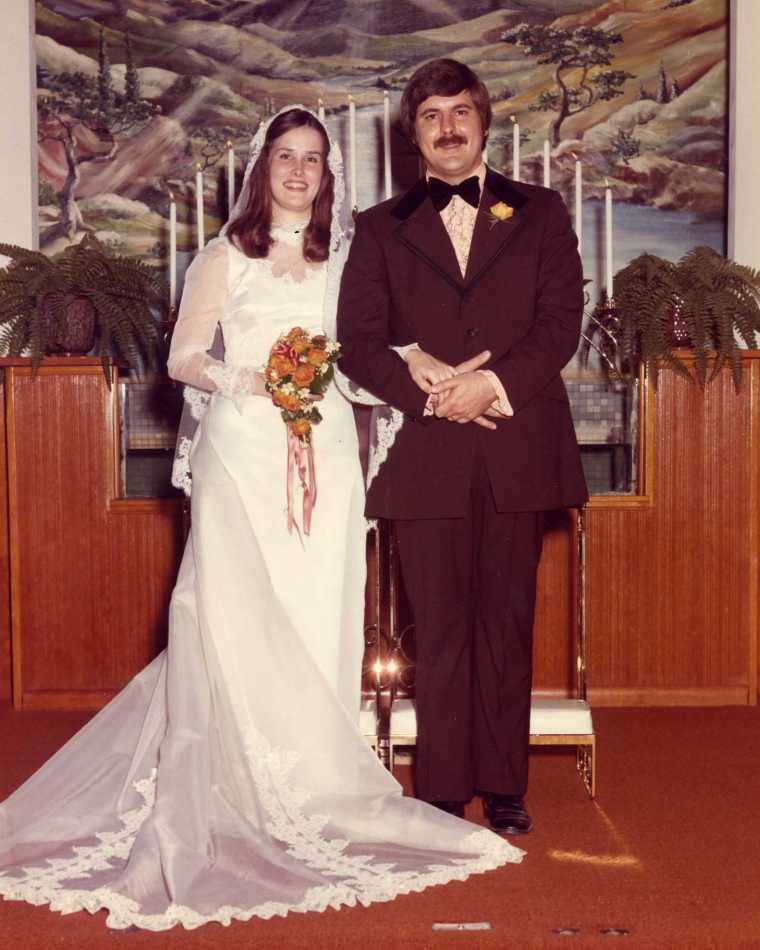
This Friday is a very special day, not because it’s Skywatch Friday and I don’t have an appropriate image for the occasion, but because my wife and I will be celebrating our forty-fourth wedding anniversary.
A lot of things have changed in forty-four years.
I shaved my mustache, cut my hair and got a lot older. My wife just got better looking.
The family now includes our daughter, son-in-law, and four grandchildren. Later this year a grand-son-in-law will be added. The oldest granddaughter is getting married in November.
In this day and age when half of all marriages fail within the first ten years, one might ask, “What is the secret to a long and happy marriage relationship?” The truth is that there is no secret or magic bullet. It is hard work and commitment to each other. There will be good days and bad days but there is always the next day. If there is any one thing that can hold a couple together through all of the things that life will throw at them, it is a common faith in Christ. All I can tell you is that the message from God’s Word is critical to the happiness that each of us enjoys.
First of all, God loves us and everything He does for us is for our benefit. He created the institution of marriage to be enjoyed by a man and a woman and to bring each of them happiness. The Bible tells us that God loved us so much that He gave His Son to die on a cross for us so that we might, through faith have eternal life. Christ tells the husband that he is to love his wife with the same love that Christ loved the church and gave Himself for that church (Ephesians 5:25) If I love my wife with that kind of love, then everything I do is because I love heer and I want her to be happy. I want my Lord to be pleased with me as a man who loves his wife and realizes that his wife is a gift from God created especially for me and my happiness.
Secondly, marriage is a partnership. Like any partnership, it takes work to maintain that relationship in peak condition. A happy marriage doesn’t just happen. bot of us are committed to the relationship and to each other because we love one another and it is our desire that our partner be happy in this relationship. No major decision in this partnership is made without prayer and conversation. god is not the author of confusion, therefore He will not give my wife a different answer to any issue than the one He gives me. Again, Go created the institution of marriage for our benefit, not for our demise.
Finally, I married a woman far better than I deserve. I thank my Lord for her every day. My wife is the most thoughtful, caring and giving person that I know. Proverbs 31:10-12 says, “An excellent wife, who can find” For her worth is far above jewels. The heart of her husband trusts in her, and he will have no lack of gain. She does him good and not evil all the days of her life.” I have found that woman. Furthermore, Proverbs 31:25-30 states, “Strength and dignity are her clothing, and she smiles at the future. She opens her mouth in wisdom, and teaching of kindness is on her tongue. She looks well to the ways of her household, and does not eat the bread of idleness. Her children rise up and bless her, her husband also, and he praises her, saying: Many daughters have done nobly, but you excel them all. Charm is deceitful and beauty is vain, but a woman who fears the Lord, she shall be praised.” I married such a woman. So, back to the question, “What’s the secret?” The answer is, you have to give yourself to the marriage. You have to give yourself to your spouse. Whatever you have within you, “Give it Away”.
Note: This year we will not be celebrating our anniversary nor Mother’s Day in the traditional manner. Instead we will be traveling to see our oldest granddaughter graduate from college. She has her degree in elementary education. Her last semester she achieved a 4.0 grade point and she has completed her student teaching and passed her board exams. She even has her first job offer. Life is good.
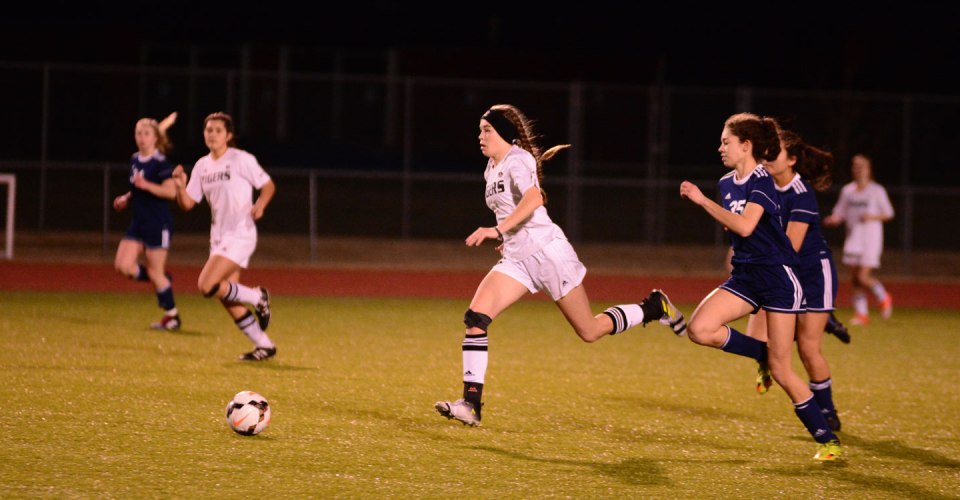
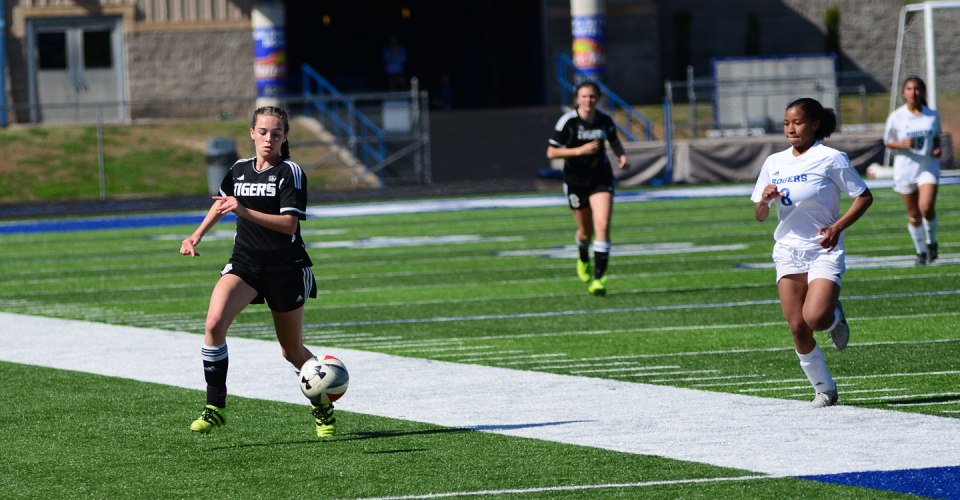
Junior Varsity soccer season has come to an end, so I thought I would post a “Season in Review” of our youngest grand daughter’s exploits. She is a sophomore in high school and plays center forward and both wings on the team. Those positions have given her the opportunity to score several goals this season. One thing about soccer here, it doesn’t have huge fan support, so getting close to the action to photograph the matches is not a problem.
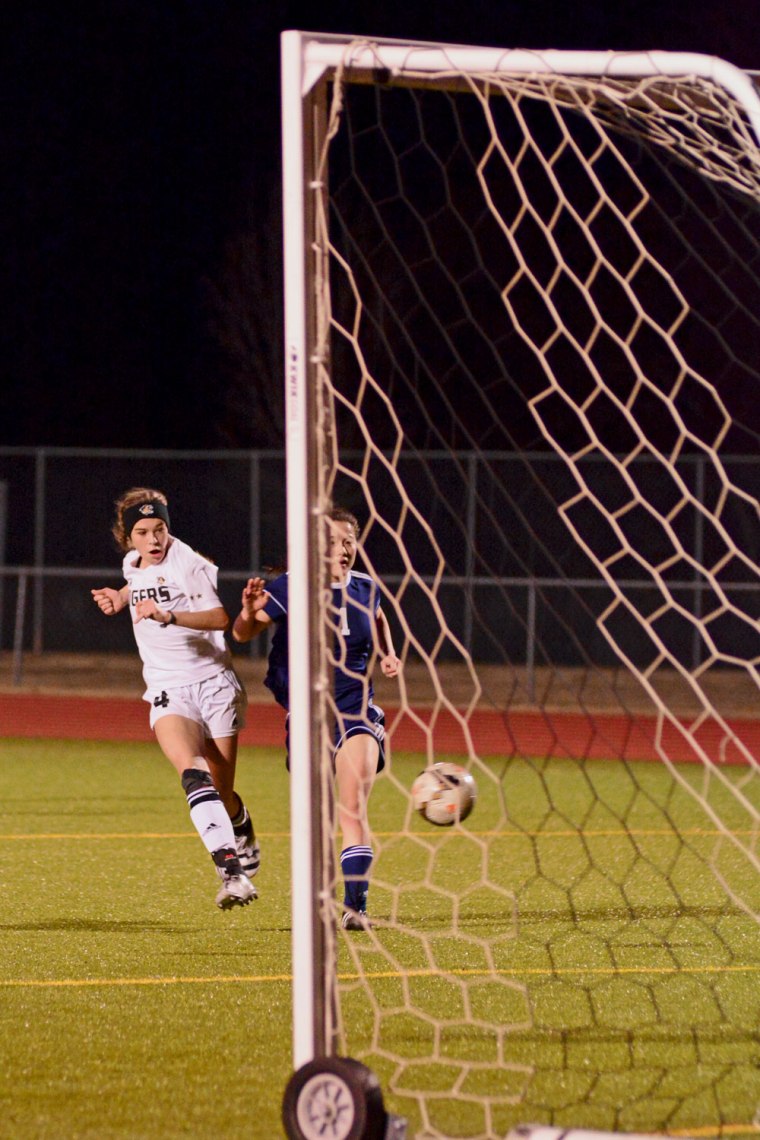
Like I said, playing center forward has given her the opportunity to score this season and she has taken advantage of it. Here, she beats the goal keeper to the corner of the net and scores.
A little later in the same match she gets one step ahead of the defense and slaps the ball in to the corner of the net again. The final score in this match was 2-0, so she did all of the scoring.
A flashback to 2010 shows that our grand daughter, in yellow, has never let being out-sized keep her from competing for control of the ball.
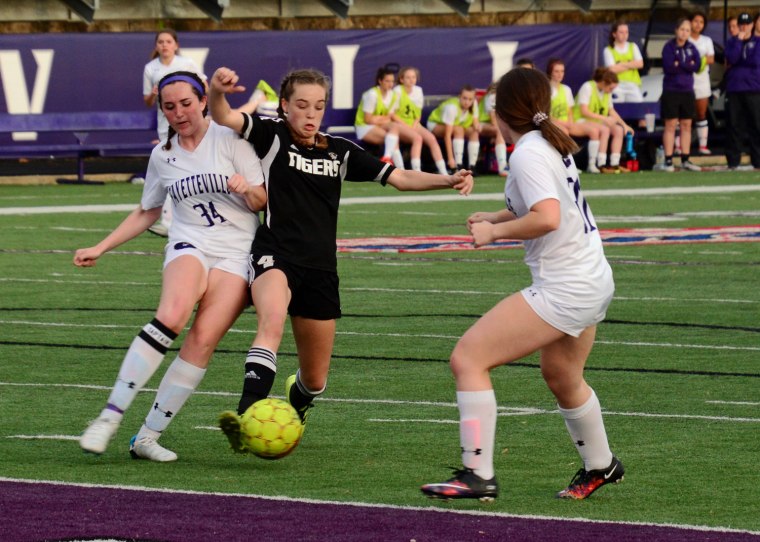
It’s also never kept her from engaging in a little contact, which is all a apart of the game at this age.
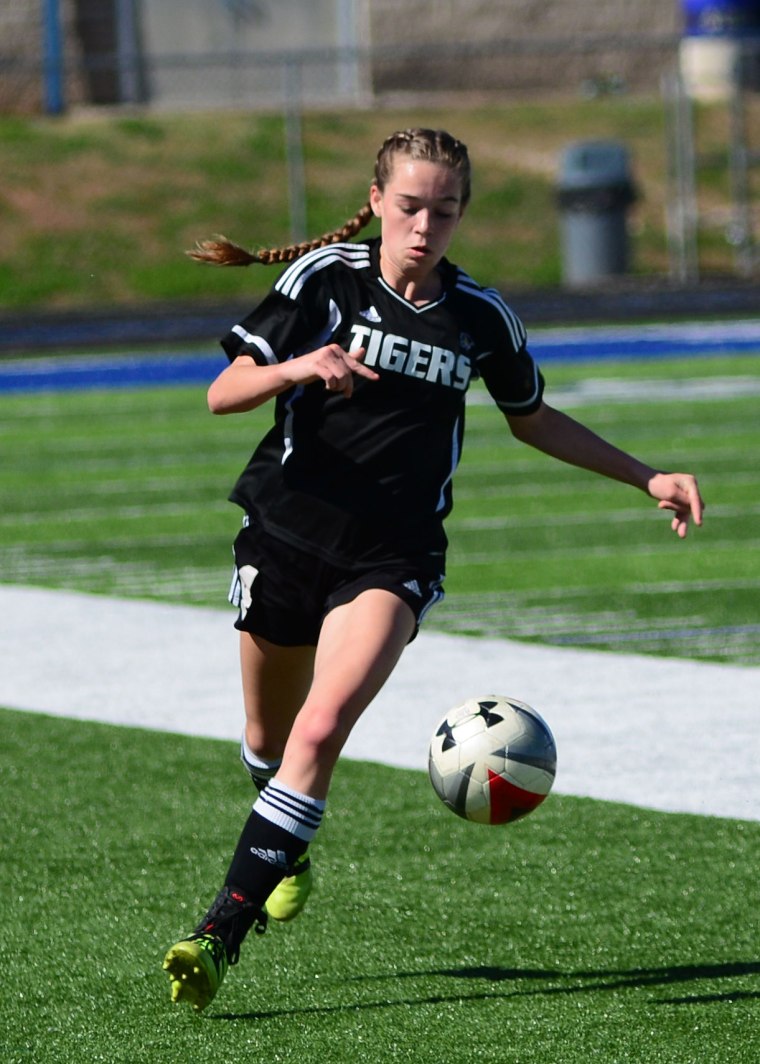
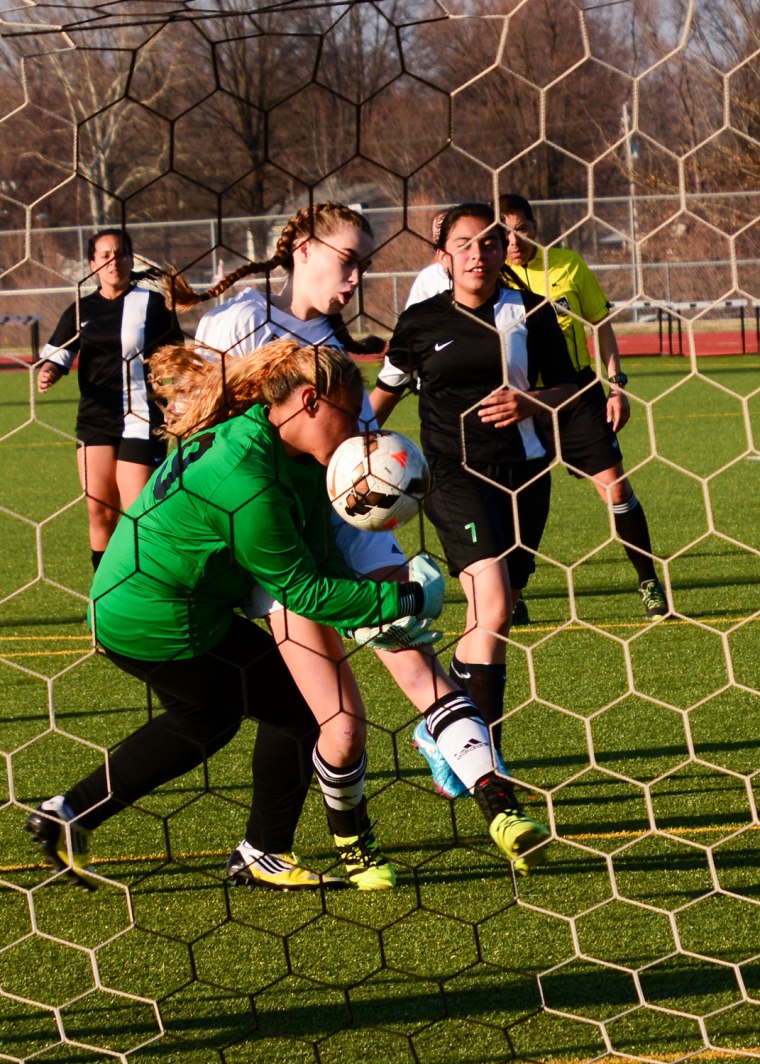
Finesse is not her strong quality on the field, but getting the ball in the net is, even if that means going through the goal keeper.
Concentrating on the ball seems to be more important than worrying about the crowd around her.
We’re already looking forward to next season.
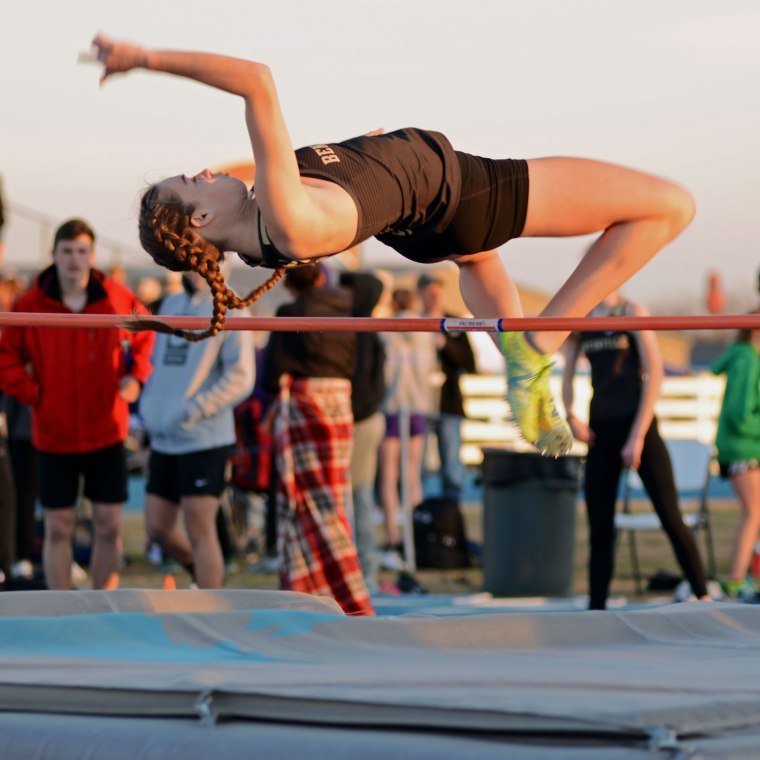
Footnote; As a dual spring sport athlete the grand daughter won the conference high jump championship, in track, a couple of weeks ago that you can read about in an earlier post. Last Thursday she finished second in the state meet.
Both boys and girls track teams won state championship trophies this season, so she will get a ring. It’s been Awe…some!!!
Last Friday our youngest grand daughter played her final soccer match of the season. It’s been a great year for her. She is a sophomore and plays on the high school junior varsity team. She was one of only three freshmen last year to make the junior varsity. Next season she will move to the varsity team. It has been a great year for her. She has played both wings, center forward, a little midfield and a couple of short stints on defense. Her goal count is in double digits. In the next week or two I will probably post a “Year in Review” of photos.
This is what a conference championship winning high jump looks like.
This is what a conference champion high jumper looks like when she realizes that she may have just won it all.
And this is what the conference champion high jumper looks like in front of the team tent after the meet. In two weeks she goes to the state championship meet. She’s only a sophomore, so there could be great things in her future. Have an Awesome Monday!
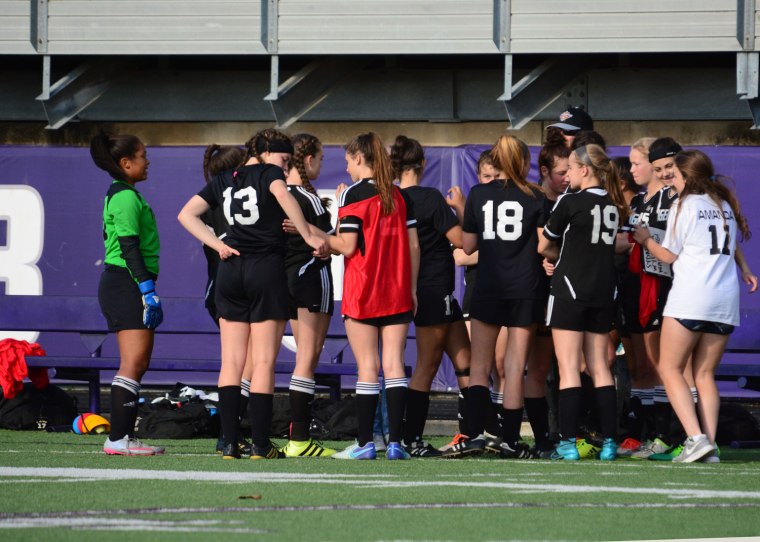
The skies have been overcast recently, so I thought we might head back to the soccer field to see what is going on. Both the varsity and junior varsity teams are having very good seasons. The varsity is the two time defending state champs and they appear to be headed back to the play-offs again this year. Our youngest grand daughter is a sophomore and plays on the junior varsity, so that’s where 99% of my soccer photos are taken.
Before each match the mood is pretty casual. There are few final words from the coach and a group huddle, then it’s time to take the field and carve out another victory.
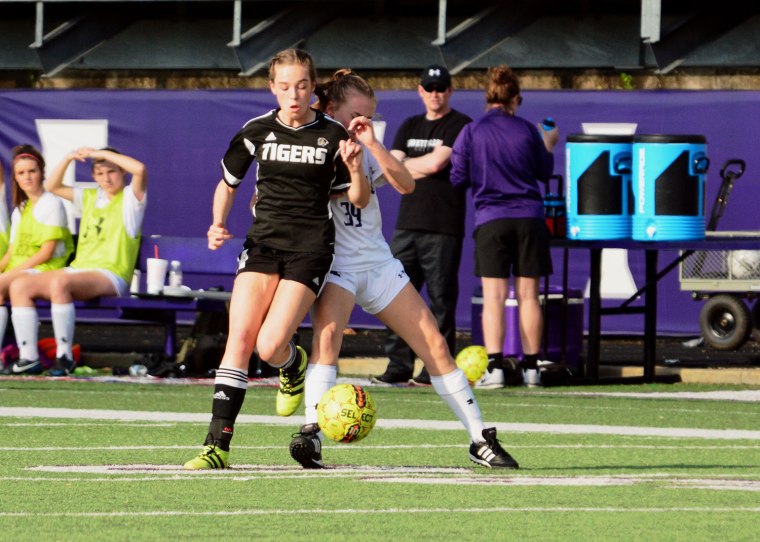
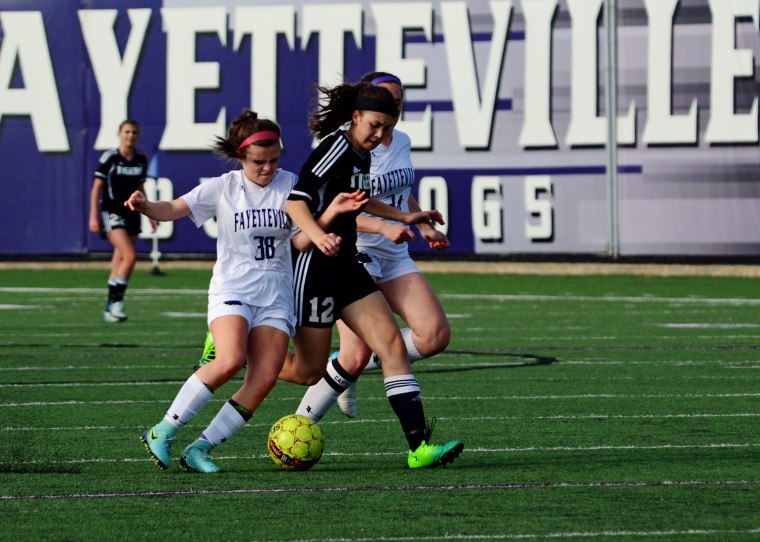
As you have probably seen in previous posts, the grand daughter, shown here in the black uniform, is not opposed to a little contact.
Occasionally, one can find themselves being double teamed. Soccer players are among the best conditioned athletes in sports. One is constantly moving and the matches are longer (35 minute halves) than basketball, with no timeouts. Substitutions are allowed but they are few and far between.
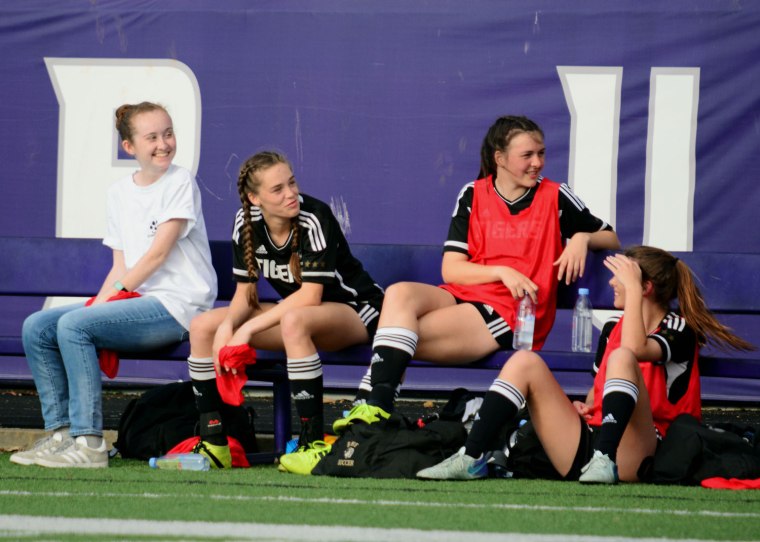
Like baseball, time on the bench is time for a little lighter mood. But when the coach points in your direction, it is time to stretch your legs and prepare to return to the fray.
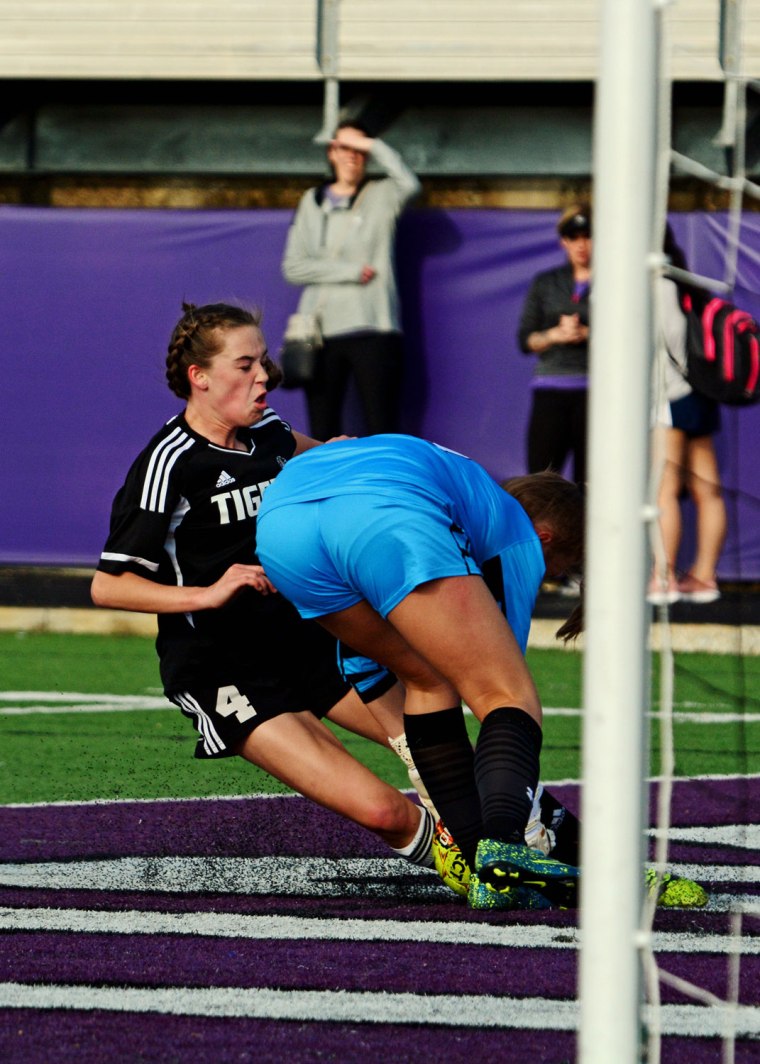
Back on the field and the contact resumes. There are times when soccer moves from the realm of contact sport and becomes a …
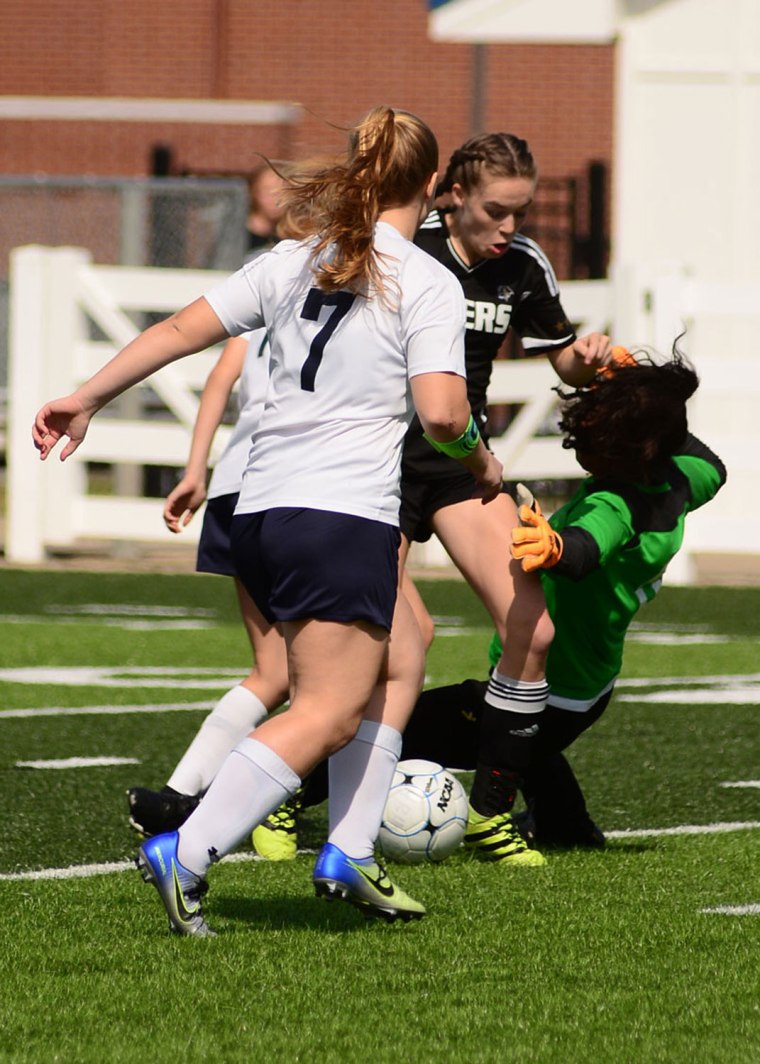
Collision sport. This is especially true around the goal box. Here you can barely see the ball between the foot of the goal keeper in blue and the leg of the grand daughter in black. This time the goal keeper made a great save but there are times when…
The grand daughter, in white this time, delivers the ball and the goal keeper into the net. There are only a couple of more matches left in this season and I will be sad to see it end. But I can look forward to two more seasons of high school “football”.
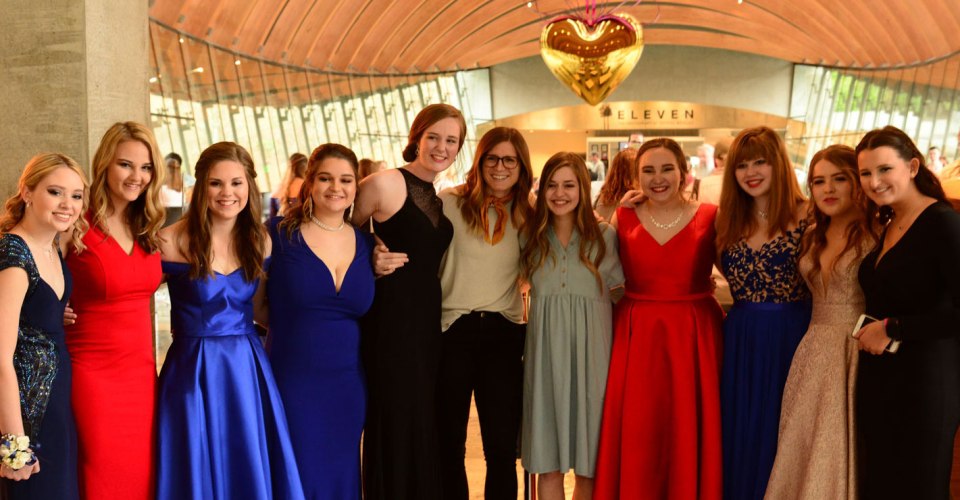
Last Saturday was Prom night at the local high school. Our middle granddaughter, the tall one in the middle wearing the black gown, is a senior this year and will be graduating in a few weeks. One of the popular places for the kids to meet for photos is at Crystal Bridges Museum of Modern American Art. It was a good thing, since the skies turned overcast and it started raining later in the afternoon. The two young ladies in the middle are the girls associate youth leader at church and the wife of the Youth minister. These girls are members of the church student ministry and many have been together since preschool.
Here our granddaughter is sharing a few moments with fellow seniors. They will be going to different colleges next year so time together will be limited after these next couple of weeks.
Then there are the proud parents. Just a note, Emily is wearing heels for the photos so she is taller than her 5′-10″ mom and still a little shorter than her 6′-3″ dad. Note: the heels came off at prom in favor of sandal. No point in punishing your feet all night long.
And she is the tallest of her siblings even without the heels. The grandson is missing in action here, but she is taller than him as well. He decided a trip with friends to Kansas City was better than hanging out at a prom photo shoot with his sisters.
But she is eyeball to eyeball with her Papa and taller than her Nana. One thing about being tall and slender.
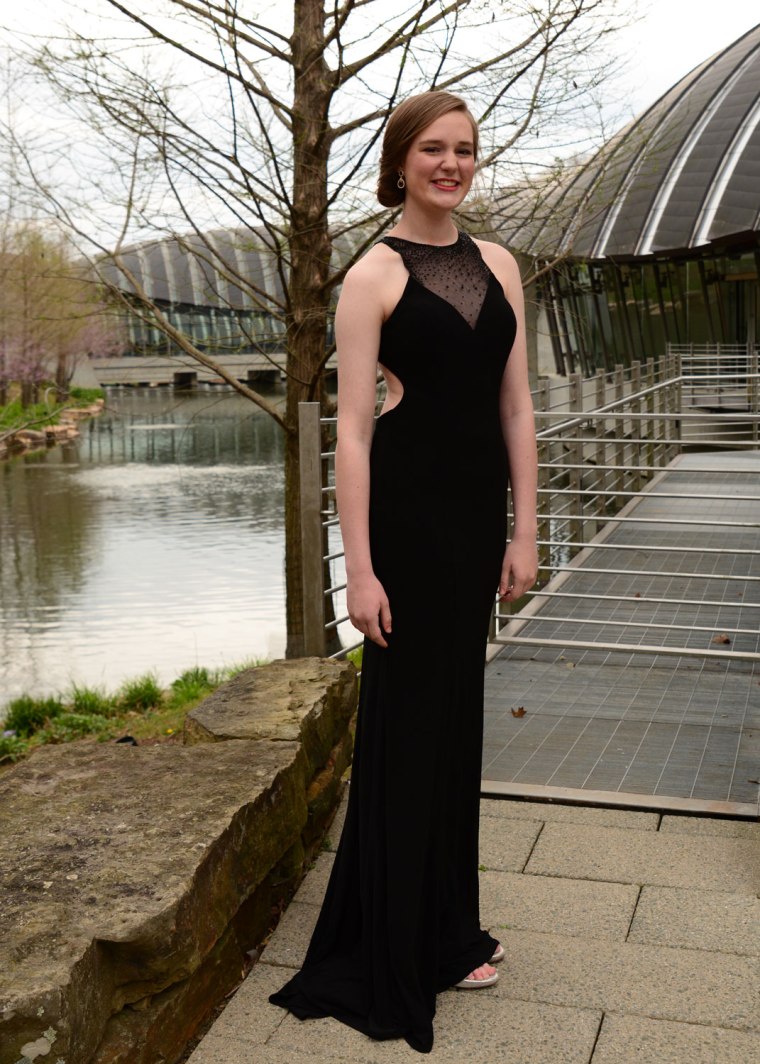
I think it makes for a very elegant prom photo, don’t you? Well let’s go back indoors for a few final close-ups before the limo whisks them away.
As you can see, Crystal Bridges makes for some very nice, subtle background images. This is one of my favorites.
Well that’s it for this year. Next year the youngest granddaughter will be a junior and we will be doing this all over again. See you then.