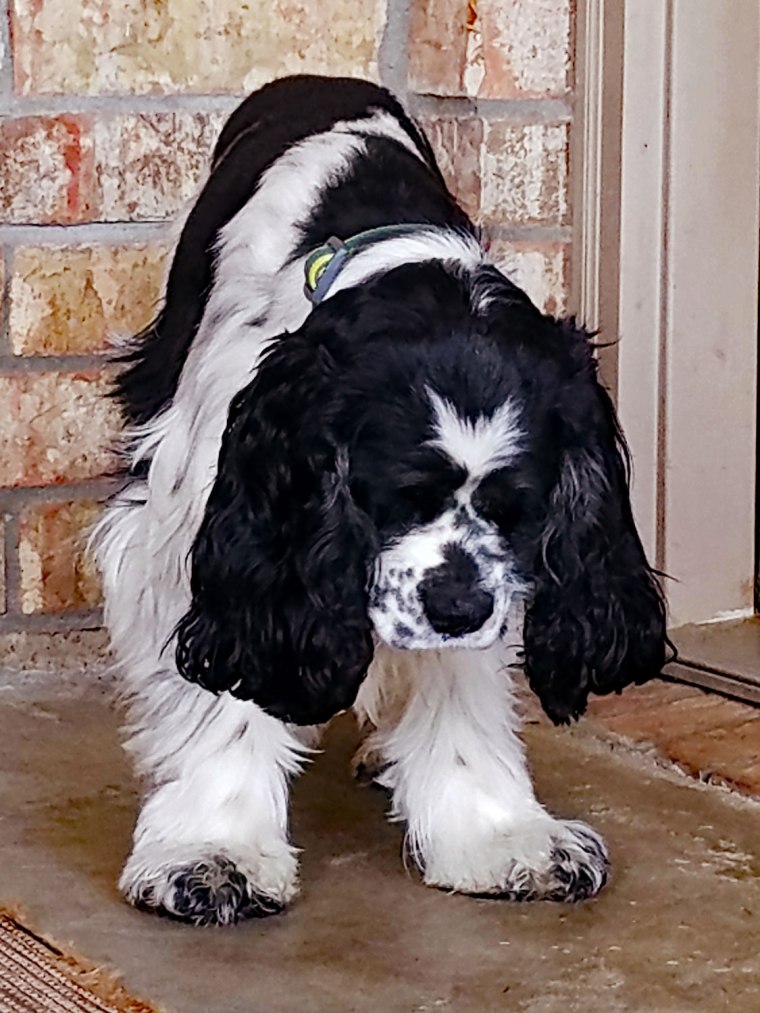
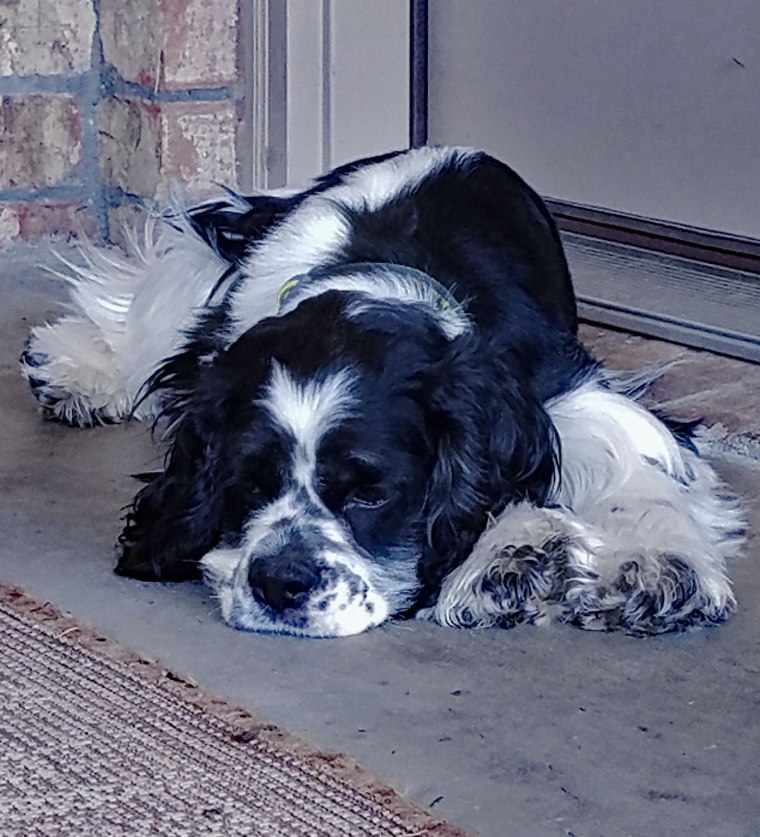
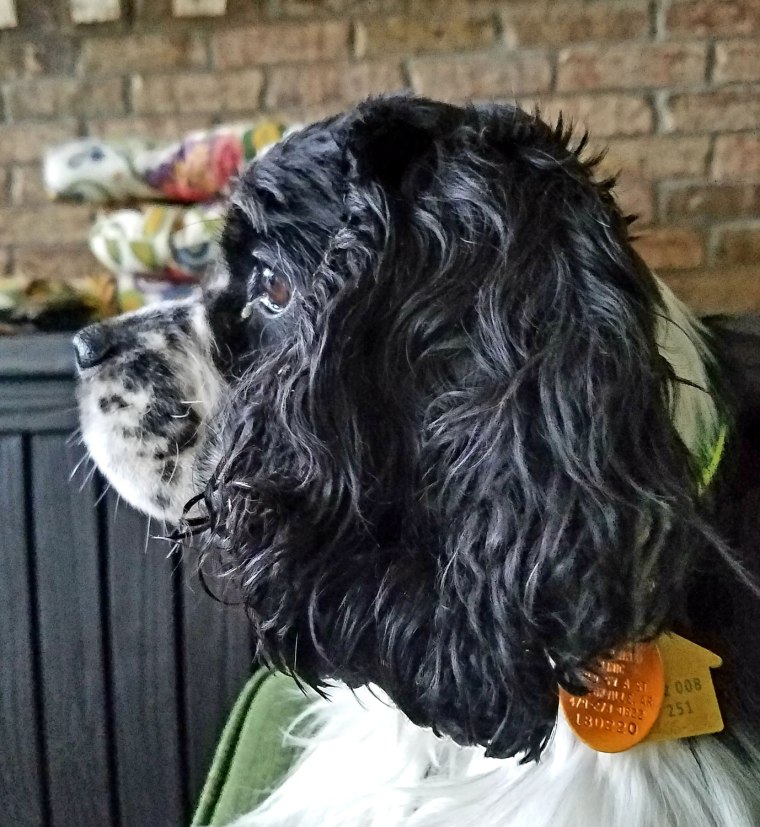
My Aww…some pup Lucy. They say that you can’t buy happiness, but you can buy an American Cocker Spaniel pup and that’s the same thing! If it’s true that pets reduce stress and contribute to a longer life, then I’m gonna live to be a hundred! Have a blessed week.
Monday’s Music Moves Me
The theme for this week is Songs that Mention Beverages in the Title. If you’re looking for a drinking song, country music is where it’s at. In country music, the first undisputed king was Hank Williams. His son, Hank Jr. also became a huge success in the business and is probably most famous for the original Monday Night Football theme song and video. Early in Jr’s career he covered a lot of his father’s music. So you say you want a beverage song…how about “A Tear in My Beer”?
For the blues fans and wine connoisseurs out there, my favorite might just be Delbert McClinton and Two More Bottles of Wine.
If your the type that likes little umbrellas in your drink then Garth Brooks has just the thing for you with Two Pina Colodas.
And for those of you who fancy hard liquor then Travis Tritt & Marty Stewart have you covered with “The Whiskey Ain’t Workin’ Anymore”.
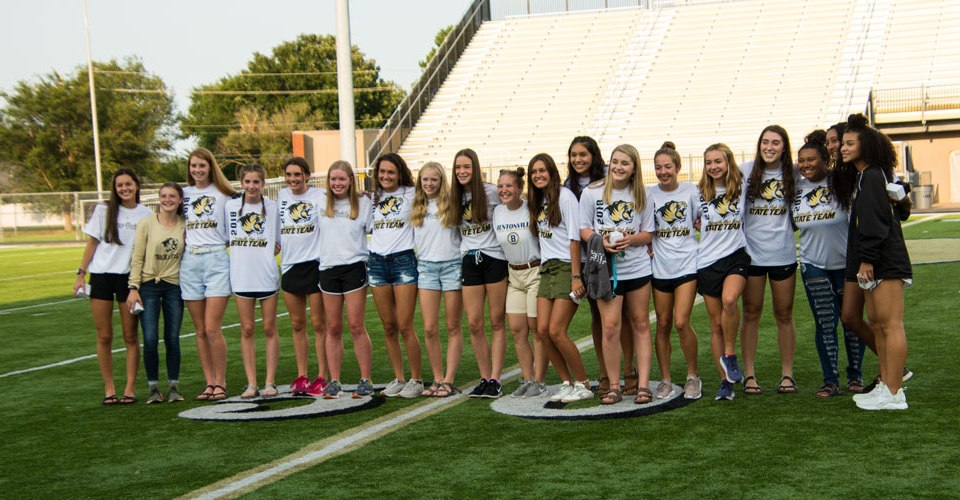
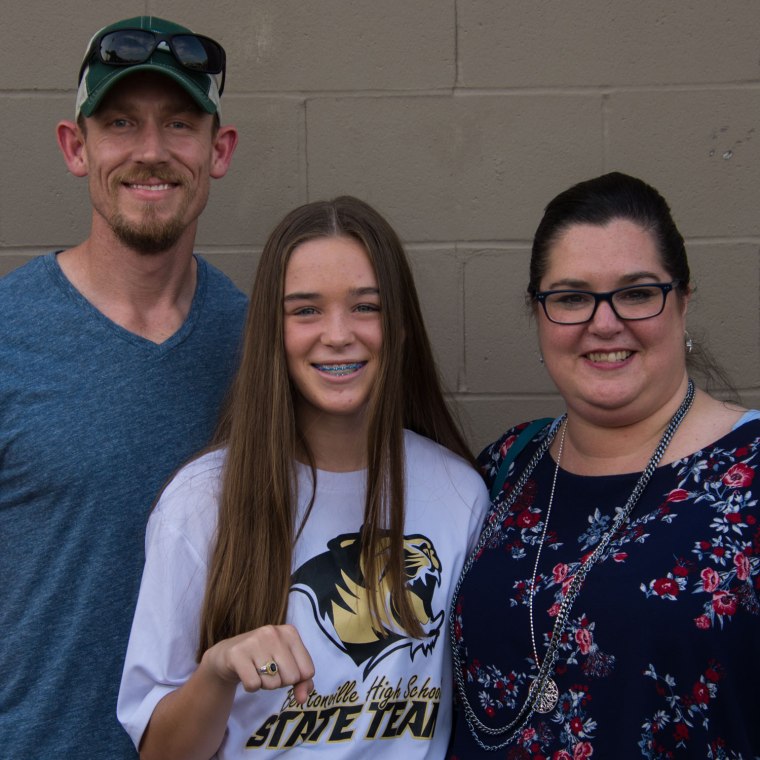
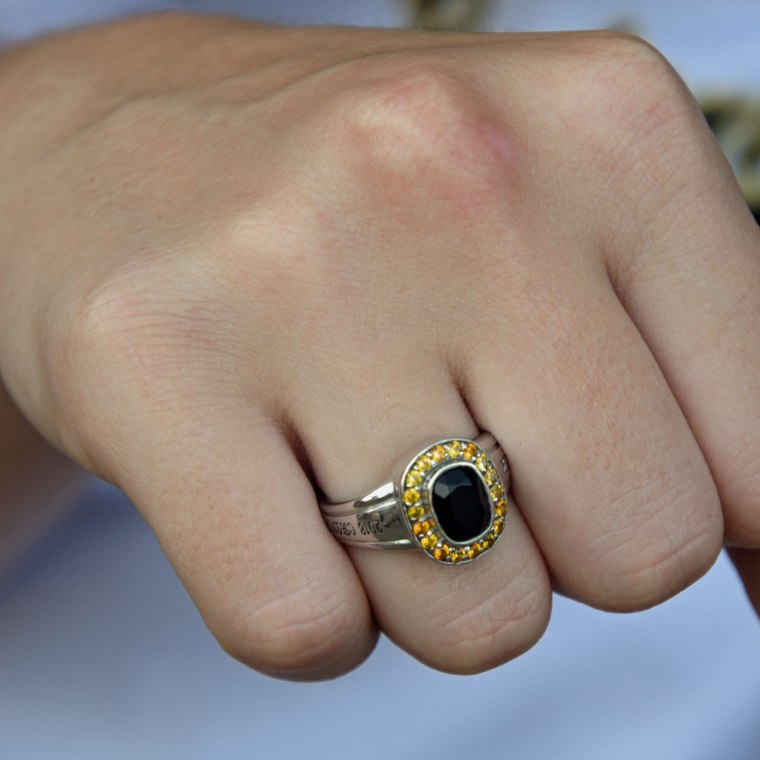
The youngest granddaughter is pictured here with her parents. Saturday afternoon and evening the local high school celebrated the new school year by having “Tiger Pride”. The event is held at the football stadium. All of the fall sports teams go through fifteen minutes of scrimmage and all of the spring sports teams are introduced. This spring the ladies track team won the state championship. Our granddaughter was the conference champion and runner-up at the state meet in high jump. That is her state championship ring that was presented to her and other members of the team at Tiger Pride.
Monday’s Music Moves Me
This week is an open week and I am torn between two choices. I could pick up where I left off with the female country vocalists or I could reveal a bit more of my edgy side from the late sixties. What to do, what to do. Maybe a couple of each.
It is no secret that Linda Ronstadt and Trisha Yearwood are my two favorite female vocalists from a country background. Although Ronstadt crossed over into folk rock similar to the Eagles, her roots were firmly planted in country. The first song that Don Henley and Glenn Frey wrote together was covered by Ronstadt and like all of her arrangements, she made it uniquely hers…Desperado.
Trisha Yearwood, like Ronstadt, can sing anything and like Ronstadt, her voice is timeless. She can take any song and put her stamp on it. There is no mistaking that voice when it comes on the radio…I mean, Everybody Knows!
As a child of the sixties I grew up with The Beatles, Mowtown sound, and The Beach Boys. Near the end of the decade the music had taken on a more serious lyric and complex sound. I’m sure the Vietnam war and other national events contributed to the influences on the music of the day. I listened to Cream, Blind Faith, Santana, Steppenwolf and bands like Emerson Lake & Palmer, but I also liked Sir Elton John, Creedence Clearwater Revival and groups with a bit of blues in their soul. The story of Cream is all wrapped up in this video and their most famous song, “Sunshine of Your Love”. For me the most special thing about Cream was Eric Clapton…nuff said.
Emerson, Lake and Palmer continued the tradition of great instrumental play and complex arrangements to move rock forward into the decade of the 70’s. One of my favorite bands. “Lucky Man”
Carlos Santana has been a rock/blues legend since the mid-sixties. Along with Eric Clapton he has always been one of the premier guitar players of all time. Santana’s inital mega hit was Black Magic Woman. The very first time I heard this song, I was hooked.
Now you know about my edgy past. Have a blessed week.
This week the theme is songs/artists with animals in the title name. As a child of the 60’s the first thing that popped into my head was “The Animals – House of the Rising Sun”! BOOM! The Animals were on the first wave of the British Invasion of the early 60’s. The Beatles led the assault and were soon followed by the likes of Chad & Jeremy, Herman’s Hermits, etc. But it was The Animals that brought an edge to the music from across the pond and paved the way for groups like The Stones.
Speaking of the Stones, another song comes to mind…Wild Horses.
A blast from the past and the early days of rock n roll gives us the Everly Brothers and “Bird Dog.”
Now we head out to sea where we find a swimming predator, “Barracuda” by Heart. Have a blessed week.
It’s been a while since I last posted updated images of Lucy, our “House Princess”.
Lucy is now nineteen months old, stands about thirteen inches high at the shoulders and weighs in at a slim and trim seventeen pounds. She is a black and white parti-colored American Cocker Spaniel. The parti-color means that she is at least two colors and one of them must be white. Lucy was only ten weeks old and a tiny five pounds when she came into the family.
This is a pretty common pose. She spends a lot of time with her eyes and nose to the ground looking for a new adventure that might be found in a worm, bug, or any moving object. She loves people and other animals. New construction in the area has brought a lot of bunnies into the neighborhood. Lucy will chase them across the back yard. She is very disappointed when they slip under the fence because she just doesn’t understand why they don’t stay around a play.
Lucy has her quiet moments too. After a game of fetch, she will find a cool place to lie down and rest.
Of course with this profile, Lucy believes that she needs her own FaceBook page.
Monday’s Music Moves Me
Since our house princess is the subject of the first part of this post, I’ll stay in the gender and switch to female vocalists…female vocalists in country music to be exact. I have a few favorites and I know that I will leave out some worthy voices but here goes. Country music has always had it’s “Queen of Country Music”. That title is currently held by Reba McIntire. It has previously been given to Loretta Lynn and one day will probably be included in any introduction of Carrie Underwood, but the first “Queen of Country Music” for me was Patsy Cline. Her vocals are timeless and there is nothing fake about her sound, Many of today’s male country artists seem to work very hard and a fake country drawl and singing through their nose while many of the female artists jump at the chance to add a pop sound to their arrangements. Patsy was pure country without any window dressing. I could post a dozen songs by her but I will limit my choice to a song that defines country music of the 50’s. Female vocalists often sang about broken hearts and this one is one of the best ever.
While she crossed over and became a classic rock legend, much of Linda Ronstadt’s early music had a definite country sound to it. Linda is probably my all time favorite female vocalist. She could sing any genre of music and the unique Ronstadt sound. Linda is one of only a handful of female vocalists that can take a classic country song that was originally recorded by a legendary male country artist, Ray Price, and make it her own.
Next on the list is my second all time favorite female vocalist, Trisha Yearwood. Like Ronstadt before her, Trisha can sing the phone book and make it a hit. If you have never heard her Christmas Album (The Sweetest Gift) then download and give a listen to “Take a Walk Through Bethlehem”. I think I like Trisha because I can hear the Ronstadt influence in her music but her voice is just pure and simple and can cross over into any genre she chooses.
And yes, the last female vocalist on my list is CarrieUnderwood. A small town Oklahoma girl went to an American Idol audition and wound up being a super-star. While much of her current sound has a pop flavor to to it, her country roots shine through and her inspirational songs that have been featured on the CMA awards are jaw dropping, standing ovation master pieces.
Yes, I know I have left out Tammy Wynette, Reba, Dolly Parton, Martina Mcbride, Faith Hill, Miranda Lambert and others, but I think these four are may all time favorites and space just doesn’t allow for me to include everyone. Have a blessed week.
Last Wednesday evening I went to see the local minor league baseball team play. After a week of nearly 100 degree temperatures, the evening was perfect for baseball. The local team is a AA affiliate of the Kansas City Royals. Several of these players will be in the major leagues in a couple of years, so it is fun to watch future stars in action. I took my camera and decided to just photograph the game from my seat. That meant shooting through the protective netting. You can see a little dark tint in some of the images. On this night the home team won 4-0.
There was some good defensive fielding. Here the shortstop makes a great catch in shallow left field.
Of course everyone likes to see a home run and there is no mistaking the triumphant trot around the bases. Our catcher is the shortest member of the team but he packs a punch in his bat. He has sent a pitch 380 feet over the left field fence and is being congratulated by the third base coach as he heads toward home plate. You can see a hint of the netting that I was shooting through here.
Monday’s Music Moves Me
The theme for this week’s music was very interesting, “2 sign language songs, and same two without”. Inspirational, Christian, Southern Gospel music has been a favorite genre of mine for many years now. Here are two songs that have been signed and then the official videos of each arrangement.
Mercy Me has been a major player in contemporary Christian music for twenty-five years, but it wasn’t until the movie “I Can Only Imagine” was released last year that many main stream moviegoers were introduced to the group. The song “Even If” speaks to the life on the road of any musician that spends months on tour. For the Christian musician that shares his faith through his music, he has to lead the audience in worship regardless of his own life circumstances at the moment. Likewise, our faith is based on where we place our trust, regardless of our situation. The message here is, “Even If” life is hard sometimes, I will still trust in the One who saved me.
Zach Williams is a relative newcomer to the contemporary Christian music scene and his first big single was Chain Breaker. All of us have life issues that are problematic and seem to bind up our life like chains. We just can’t seem to break free of the problems. There is a Chain Breaker and His name is Jesus Christ.
Last week I posted this image of the grandson when he was little.
I probably should have posted the updated image so you know what he looks as a 14 year old, going on fifteen. He will enter his freshman year in high school this year. My how time flies.
He still has the freckles, but he is well on his way to six feet tall and beyond. Have a blessed week.